Nativefier Create Desktop Apps from Any Website
Convert websites into powerful desktop applications with Nativefier. Build lightweight Electron-based apps for Windows, macOS, and Linux with simple setup and customization.
- About Nativefier
What is Nativefier?
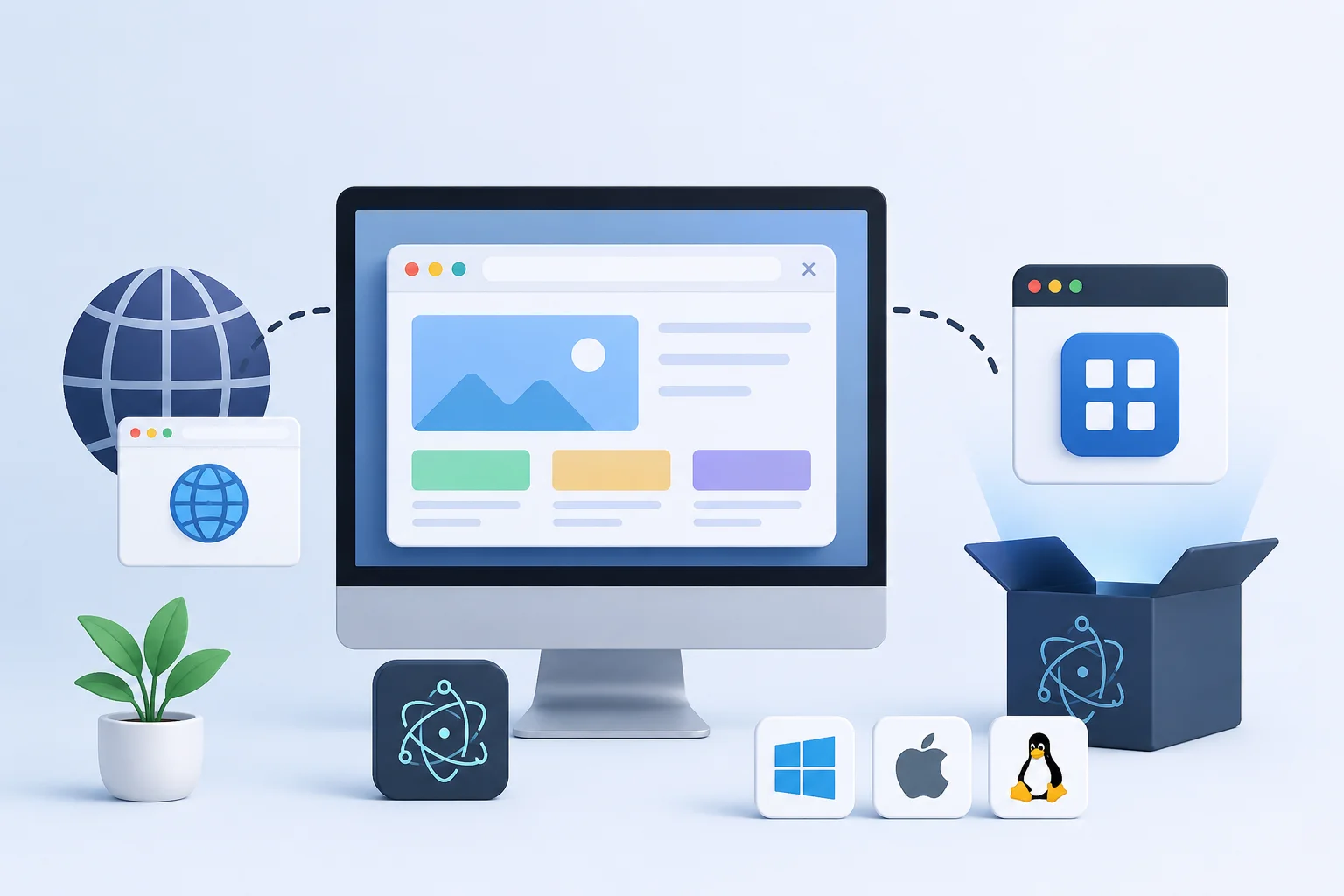
Nativefier is a powerful open-source command-line tool designed to transform any website into a standalone desktop application with minimal setup. Built on top of Electron, Nativefier allows developers and users to create lightweight desktop apps for Windows, macOS, and Linux directly from web applications and online platforms.
The tool works by wrapping websites inside an Electron container, giving web apps a native desktop experience with features such as dedicated windows, desktop notifications, custom icons, and independent application launching. Whether it is productivity platforms, communication tools, streaming services, or internal business dashboards, Nativefier makes desktop app creation simple and efficient.
Developers choose Nativefier because of its flexibility, speed, and ease of use. With a single command, users can generate fully functional desktop applications without complex coding or configuration. Its customizable options and cross platform compatibility make it an ideal solution for modern web applications that need a cleaner, more focused desktop environment.
- Key Features
Powerful Features for Modern Desktop Apps
Explore the powerful capabilities of Nativefier, designed to simplify desktop app creation with speed, flexibility, customization, and seamless cross-platform performance.
One Command App Creation
Nativefier allows users to transform any website into a fully functional desktop application using a single command. Its simple workflow removes unnecessary complexity and helps developers quickly create desktop experiences without advanced configuration or lengthy setup.
Cross Platform Compatibility
Build and run desktop applications seamlessly across Windows, macOS, and Linux environments. Nativefier ensures consistent performance and user experience on all major operating systems, making deployment easier for developers and businesses.
Custom Branding Options
Personalize your desktop applications with custom app names, icons, launch settings, and window behavior. Nativefier provides flexible customization tools that help developers create professional applications tailored to their branding requirements.
Native Desktop Notifications
Enable real time desktop notifications for web applications to improve communication and user engagement. Nativefier integrates notification support directly into desktop apps, allowing users to stay connected without opening a browser.
Lightweight Performance
Designed with efficiency in mind, Nativefier creates optimized Electron-based applications that deliver smooth performance with minimal system resource usage. Its lightweight structure ensures faster loading times and reliable desktop operation.
Open Source Flexibility
As an open source solution, Nativefier gives developers complete freedom to customize, modify, and extend application functionality. Its flexible ecosystem supports modern development workflows and encourages community-driven innovation.
- How Nativefier Works
Create Desktop Apps in Minutes
Build powerful desktop applications from websites in just a few simple steps using Nativefier with fast setup, flexible customization, and cross-platform compatibility.
Step 1
Install Nativefier quickly using npm and prepare your development environment for desktop app creation. The simple installation process allows developers to start building applications within minutes using familiar command line tools.
Step 2
Enter your website URL directly into the command line to begin converting your web application into a desktop experience. Nativefier automatically wraps the selected website inside an optimized Electron environment with minimal configuration required.
Step 3
Generate and launch your standalone desktop application instantly for Windows, macOS, or Linux. Once the build process is complete, users can enjoy a dedicated desktop app with native functionality, custom settings, and improved accessibility.
- Supported Platforms
Works Across All Major Platforms
Nativefier delivers seamless desktop app creation across the world’s most popular operating systems, ensuring consistent performance, flexibility, and user experience for every platform.
Windows
Create fully functional desktop applications optimized for Windows environments with smooth performance, native notifications, and customizable launch settings designed for modern productivity and business workflows.
macOS
Build elegant desktop applications for macOS with reliable compatibility, responsive performance, and a clean user experience that integrates naturally with Apple devices and desktop environments.
Linux
Generate lightweight desktop applications for Linux distributions with flexible configuration, efficient resource usage, and dependable cross distribution compatibility for developers and advanced users.
- Use Cases
Popular Use Cases for Nativefier
Discover how developers, businesses, and everyday users use Nativefier to transform websites into efficient, accessible desktop applications across diverse workflows and digital experiences.
Gmail Desktop App
Convert Gmail into a dedicated desktop application for faster email access, desktop notifications, and a distraction free communication experience without relying on multiple browser tabs.
WhatsApp Desktop Wrapper
Create a lightweight WhatsApp desktop application with quick launching, standalone window management, and seamless messaging functionality directly from your desktop environment.
YouTube Desktop Experience
Enjoy YouTube as a standalone desktop app with focused viewing, easier multitasking, and improved accessibility for entertainment, streaming, and content management activities.
Productivity Tools
Transform online productivity platforms into desktop applications to improve workflow efficiency, simplify task management, and maintain organized access to essential daily tools.
Business Dashboards
Turn web based analytics panels and management dashboards into secure desktop applications that provide quick monitoring access, better organization, and professional workspace integration.
Custom Internal Applications
Develop customized desktop solutions for internal company systems, portals, and web based services with flexible branding, simplified deployment, and cross platform accessibility.
- Installation
Get Started with Nativefier in Minutes
Start building desktop applications quickly with Nativefier using simple installation steps, fast configuration, and powerful Electron-based app generation.
System Requirements
Before installing Nativefier, make sure your system has Node.js and npm installed. These tools are required to run Nativefier and manage package installation smoothly across all major operating systems.
node --version

npm --versionInstall Nativefier
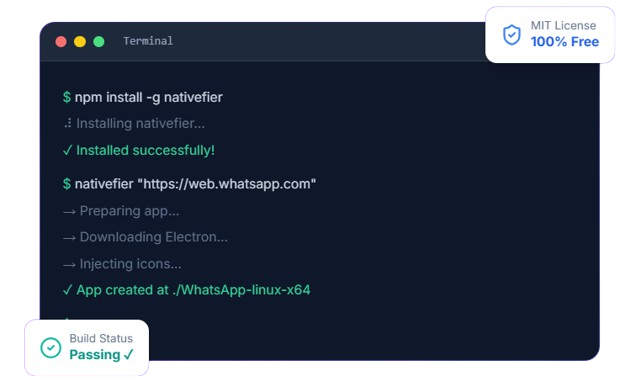
Install Nativefier globally using npm to access the command line tool from anywhere on your system. The installation process is fast, lightweight, and beginner friendly.
npm install -g nativefierCreate Your Desktop Application
Once installed, simply enter your website URL to generate a standalone desktop application. Nativefier automatically wraps the website using Electron for a smooth desktop experience.
nativefier "https://web.whatsapp.com"nativefier --name "MyApp" --icon ./icon.png --width 1280 --height 800 "https://myapp.com"- Benefits
Why Choose Nativefier?
Discover why developers and businesses trust Nativefier for creating reliable desktop applications from modern websites with speed, flexibility, and simplified development workflows.
Simple CLI Workflow
Nativefier provides an easy to use command line interface that simplifies desktop app creation. Developers can generate applications quickly using straightforward commands without complicated setup procedures.
Fast Deployment
Create and launch desktop applications within minutes using an optimized build process designed for efficiency. Nativefier reduces development time while maintaining reliable application performance across platforms.
Open Source Ecosystem
As an open source project, Nativefier encourages community-driven innovation and continuous improvement. Developers can freely explore, customize, and contribute to the growing ecosystem.
Developer Friendly Setup
The lightweight installation process and minimal configuration requirements make Nativefier accessible for beginners and experienced developers alike, ensuring a smooth development experience.
Flexible Customization
Customize application names, icons, window sizes, and launch behaviors to create personalized desktop experiences tailored to individual projects and branding requirements.
Modern Electron Architecture
Built on Electron, Nativefier delivers modern desktop functionality, cross-platform compatibility, and reliable performance for web-based applications.
- Honest Review
Pros & Cons
Explore the advantages and limitations of Nativefier to understand how it simplifies desktop app creation while balancing performance, flexibility, and cross-platform compatibility.
Advantages
Zero Coding Required
No programming knowledge needed. A single terminal command wraps any website into a desktop application instantly.
Free and Open Source
Released under the MIT license. Use it commercially, modify it, or contribute back — no costs or restrictions.
Cross-Platform Output
Build for Windows, macOS, and Linux from any machine. The --platform flag handles OS-specific packaging automatically.
Highly Customizable
Over 50 CLI flags to customize app name, icon, window size, user agent, proxy, tray behavior, and more.
Active Community
Over 26,000 GitHub stars and 1,600+ forks. Issues are actively discussed and PRs are regularly merged.
Limitations
Large File Size
Each packaged app bundles the entire Electron runtime, resulting in ~130-200MB output even for simple web wrappers.
High Memory Usage
Chromium-based apps consume significant RAM (200-400MB minimum). Running multiple Nativefier apps can strain low-end machines.
Limited Native APIs
No direct access to native OS APIs like Bluetooth, NFC, or hardware sensors. It's still a web view, not truly native.
Requires Node.js
Node.js must be installed before using Nativefier. Non-technical users may find this prerequisite intimidating.
Not Truly Native Performance
Apps run inside a Chromium shell. Heavy web apps may feel slower compared to frameworks like Qt or Flutter.
- Comparison
Nativefier vs Alternatives
Compare Nativefier with popular alternatives to discover the best solution for desktop app development based on setup speed, customization, performance, and development flexibility.
| Feature | Nativefier | Electron Forge | Tauri | PWA |
|---|---|---|---|---|
| Coding Required | No | Yes | Yes | Minimal |
| Setup Time | 1 min | 30+ min | 1+ hour | 5 min |
| App Size | ~150MB | ~150MB | ~5MB | ~0MB |
| Native Feel | Basic | Full | Excellent | Limited |
| Free / Open Source | ✓ | ✓ | ✓ | ✓ |
- Statistics
Nativefier by the Numbers
Discover the growing popularity and real-world impact of Nativefier through key statistics highlighting its speed, flexibility, cross-platform support, and modern desktop app development capabilities.
- Requirements
System Requirements
Review the essential system requirements needed to install and run Nativefier smoothly across Windows, macOS, and Linux environments.
Minimum
Basic requirements for running NativefierRecommended
Optimized setup for smoother performance- Testimonials
What Developers Say
See what developers and users say about Nativefier and how it helps simplify desktop app creation with fast setup, flexible customization, and reliable cross-platform performance.
Sarah Chen
Engineering Lead, Stripe"Nativefier saved our team hours. We wrapped our internal analytics dashboard into a desktop app and distributed it to non-technical staff — they loved having a dedicated app instead of a browser tab."
Marcus Johnson
Full-Stack Developer"I use Nativefier daily. WhatsApp, Notion, Google Keep — all running as desktop apps. The --single-instance flag prevents duplicate windows. It's a must-have for productivity."
Elena Rodriguez
UI/UX Consultant"Great for quick prototyping. I demo web apps to clients as 'native' apps. The only downside is the file size, but for proof-of-concepts, it's unbeatable. Fast, simple, effective."
- FAQ
Frequently Asked Questions
Find answers to the most common questions about Nativefier, including installation, features, compatibility, customization, and desktop app development workflows.
Nativefier is an open source command line tool that converts websites into standalone desktop applications using Electron technology.
Yes, Nativefier is completely free and open source, allowing developers to use and customize it without licensing costs.
Nativefier is primarily used to turn web applications and websites into desktop apps for Windows, macOS, and Linux.
Basic command line knowledge is helpful, but Nativefier is designed to be simple enough for beginners.
Nativefier supports most modern websites, although some web platforms may have compatibility limitations.
You can install Nativefier globally using npm after installing Node.js on your system.
Yes, Node.js and npm are required to install and run Nativefier.
Nativefier supports Windows, macOS, and Linux operating systems.
Yes, Nativefier can also be installed locally within specific projects using npm package management.
Yes, Nativefier offers a straightforward setup process with minimal configuration requirements.
Yes, Nativefier allows supported websites to send native desktop notifications.
Yes, users can add custom icons during the app creation process.
Yes, applications can be configured to launch in fullscreen mode.
Yes, Nativefier allows complete customization of application names and settings.
Most Nativefier applications require an internet connection because they are based on live websites.
Nativefier applications are optimized for usability, but Electron based apps may consume more system resources than native apps.
Yes, Nativefier works with most major Linux distributions.
Application security largely depends on the security of the website being wrapped inside the desktop application.
Yes, Nativefier supports modern web technologies through the Electron framework.
Electron applications include runtime dependencies, which increases the overall application size.
Yes, developers can customize application behavior, appearance, and launch configurations.
Yes, many businesses use Nativefier for internal tools, dashboards, and productivity platforms.
Yes, users can define custom width and height settings during app creation.
Nativefier is mainly designed for single website applications, although advanced customization is possible.
Yes, Nativefier uses Electron to create desktop applications.
Some websites may block embedded browser environments or require additional configuration settings.
You can update Nativefier using npm commands to install the latest version globally.
Official documentation and setup guides are available on the Nativefier GitHub repository.
Yes, Nativefier has an active open source community that contributes improvements and support.
Nativefier focuses on simplicity, fast setup, and instant web to desktop app conversion with minimal configuration.