
Desktop applications have become an essential part of modern workflows. Many users and developers prefer having their favorite web applications available as standalone desktop apps rather than constantly opening them in a browser. Nativefier has long been a popular tool for this purpose, allowing users to convert websites into desktop applications using Electron.
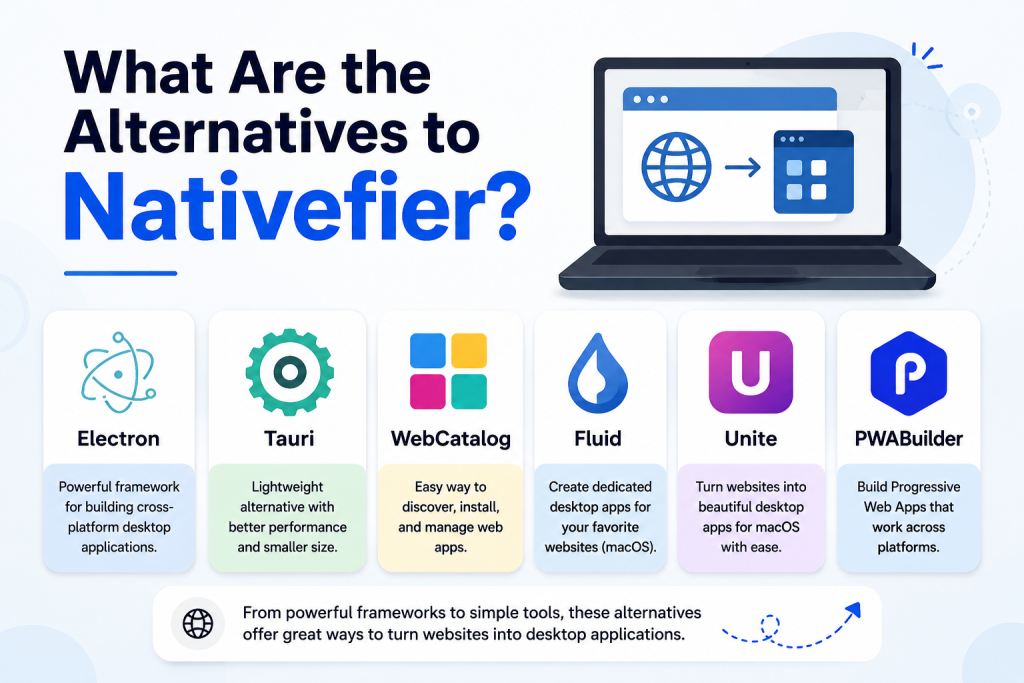
However, Nativefier is not the only solution available. Whether you’re looking for better performance, more customization options, easier setup, or active development support, several alternatives can help you create desktop apps from web applications. This article explores some of the best alternatives to Nativefier and helps you choose the right one for your needs.
Why Look for Alternatives to Nativefier?
Nativefier is a useful tool, but some users seek alternatives for various reasons. Desktop applications created with Electron can consume significant system resources, especially memory. Additionally, some developers require advanced customization features, better security controls, or support for different frameworks.
Alternative tools may offer improved performance, smaller application sizes, easier deployment, or enhanced integration with operating systems. Depending on your project requirements, another solution may provide a better overall experience.
Electron
Electron is one of the most widely used frameworks for building cross-platform desktop applications. In fact, Nativefier itself relies on Electron behind the scenes.
Using Electron directly gives developers complete control over their applications. Instead of automatically wrapping a website, Electron allows you to create fully customized desktop apps with access to native system features.
Popular applications such as Visual Studio Code, Slack, and Discord are built using Electron. While it requires more development effort than Nativefier, it offers unmatched flexibility for building professional desktop software.
Advantages of Electron
- Full customization and control
- Access to native operating system features
- Large developer community
- Extensive documentation and plugins
Limitations
- Higher memory consumption
- Requires development knowledge
- Larger application size compared to some alternatives
Tauri
Tauri has gained significant popularity as a lightweight alternative to Electron. Instead of bundling an entire Chromium browser, Tauri uses the operating system’s native web rendering engine.
This approach dramatically reduces application size and memory usage. Developers can build desktop applications using familiar web technologies such as HTML, CSS, and JavaScript while benefiting from better performance.
Tauri is particularly attractive for developers who want modern desktop applications without the heavy resource requirements often associated with Electron-based solutions.
Advantages of Tauri
- Smaller application size
- Lower memory usage
- Improved performance
- Strong security model
Limitations
- Smaller ecosystem compared to Electron
- May require learning Rust for advanced functionality
WebCatalog
WebCatalog is a user-friendly alternative designed for individuals who simply want to turn websites into desktop applications without coding.
The platform allows users to install web apps such as Gmail, WhatsApp, Notion, and many others as standalone desktop applications. It provides additional features like account isolation, notification management, and workspace organization.
For non-technical users, WebCatalog offers one of the easiest ways to create and manage web apps on a desktop environment.
Advantages of WebCatalog
- No coding required
- Easy installation process
- Multiple account management
- Built-in app store
Limitations
- Less customization for developers
- Some premium features require payment
Fluid
Fluid is a popular option for macOS users who want to transform websites into dedicated desktop applications.
It allows users to create site-specific browsers (SSBs), which function as standalone applications focused on a single website. This creates a more app-like experience while maintaining the simplicity of web-based services.
Fluid is particularly useful for users who spend a lot of time using web tools and want quick access without browser distractions.
Advantages of Fluid
- Lightweight solution
- Simple setup
- Seamless macOS integration
Limitations
- Limited to macOS
- Fewer advanced customization features
Unite
Unite is another macOS-focused solution that offers a modern approach to creating desktop applications from websites.
It provides extensive customization options, including native notifications, menu integration, and custom icons. Users can create polished web-based applications that feel like native macOS software.
For Apple users seeking a premium experience, Unite is often considered one of the best Nativefier alternatives.
Advantages of Unite
- Native macOS experience
- Custom branding options
- Notification support
- User-friendly interface
Limitations
- Paid software
- Available only for macOS
PWABuilder
Progressive Web Apps (PWAs) have become increasingly popular, and PWABuilder helps developers package these applications for desktop platforms.
PWABuilder analyzes a website and assists in converting it into a Progressive Web App that can be installed on Windows and other supported platforms.
This approach often results in lightweight applications with excellent performance while maintaining compatibility across devices.
Advantages of PWABuilder
- Supports modern web standards
- Lightweight applications
- Easy deployment
- Good cross-platform support
Limitations
- Works best with PWA-ready websites
- May require additional configuration
Chromium-Based Browser App Creation
Many modern browsers now allow users to install websites as desktop applications directly.
Google Chrome, Microsoft Edge, and several Chromium-based browsers offer built-in features that let users create app-like windows for websites. This method is often the fastest and simplest alternative to Nativefier.
Users can install web apps directly from the browser menu and launch them independently from regular browser tabs.
Advantages
- No additional software required
- Fast setup
- Automatic updates through the browser
Limitations
- Limited customization
- Fewer advanced desktop features
How to Choose the Right Alternative
The best Nativefier alternative depends on your specific needs.
If you are a developer building a custom desktop application, Electron and Tauri are excellent choices. Electron offers maximum flexibility, while Tauri provides better performance and smaller application sizes.
For non-technical users who simply want web apps on their desktop, WebCatalog delivers an easy and convenient experience. Mac users may prefer Fluid or Unite due to their strong integration with macOS.
If your website already supports Progressive Web App features, PWABuilder can be an efficient solution that combines performance with broad compatibility.
Conclusion
Nativefier is a convenient tool for converting websites into desktop applications, but several strong alternatives are available for different use cases. Electron offers maximum flexibility for developers, Tauri provides a lightweight and performance-focused approach, and WebCatalog makes the process simple for everyday users. Mac users can benefit from dedicated solutions like Fluid and Unite, while PWABuilder is an excellent choice for Progressive Web Apps. The right alternative depends on your technical requirements, preferred platform, and performance expectations. By exploring these options, you can find a solution that delivers a seamless desktop experience while meeting your specific needs.