
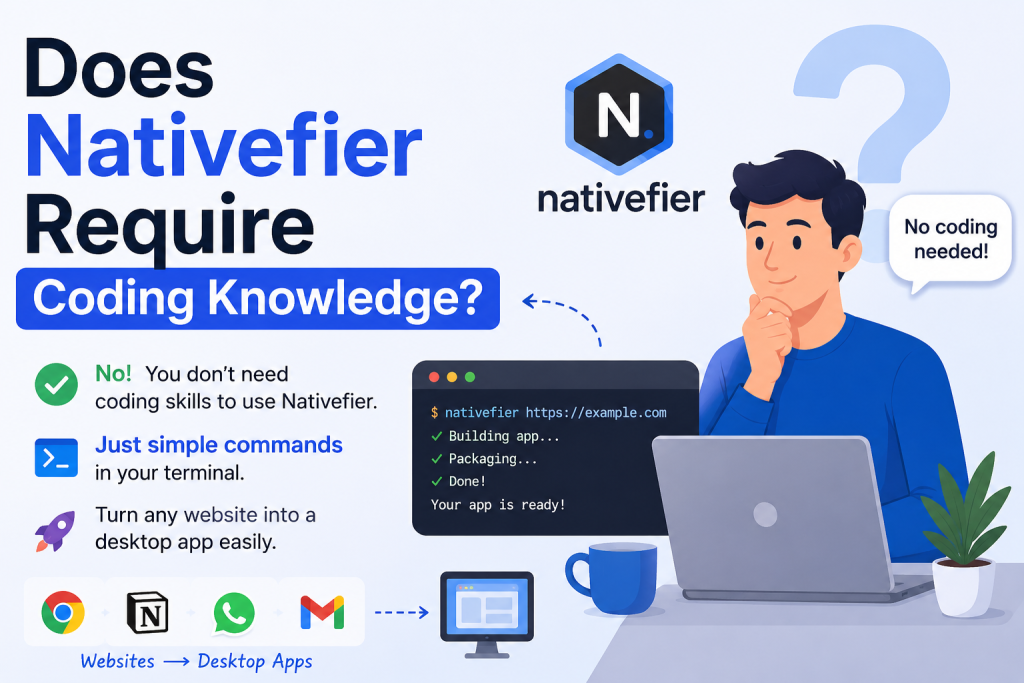
In today’s digital world, many users want the convenience of desktop applications without waiting for developers to create dedicated software. This is where Nativefier comes in. Nativefier is a popular tool that allows users to convert any web application or website into a desktop application for Windows, macOS, or Linux. Whether you want a desktop version of Gmail, WhatsApp Web, Notion, or another web-based platform, Nativefier can help you achieve that.
One of the most common questions asked by beginners is: Does Nativefier require coding knowledge? The simple answer is no, but understanding how it works can help you use it more effectively. In this article, we’ll explore what Nativefier is, how much technical knowledge is needed, and whether it’s suitable for non-developers.
Read More: Which Platforms Does Nativefier Support?
What Is Nativefier?
Nativefier is an open-source command-line tool built on Electron. It wraps a website into a desktop application, giving users a standalone app experience. Instead of opening a browser and navigating to a website every time, you can launch the website directly from your desktop as if it were a native application.
The tool is widely appreciated because it simplifies the process of creating desktop apps from web services without requiring users to build an application from scratch.
Do You Need Coding Skills to Use Nativefier?
The good news is that Nativefier does not require traditional programming skills. You do not need to know languages such as JavaScript, Python, Java, or C++ to create a desktop app using Nativefier.
However, Nativefier operates through the command line, which means users need to enter a few commands into a terminal or command prompt. While this may seem intimidating at first, the process is relatively simple and can be learned quickly.
For example, creating an application often involves entering a command similar to:
nativefier "https://example.com"
This single command tells Nativefier to package the specified website into a desktop application.
Although this isn’t coding in the traditional sense, users should feel comfortable copying and pasting commands into a terminal window.
Understanding the Difference Between Coding and Commands
Many people confuse command-line usage with programming. Coding typically involves writing logic, creating functions, debugging applications, and building software from scratch.
Using Nativefier is different. Most users only need to:
- Install Node.js
- Install Nativefier
- Open a terminal or command prompt
- Run a few commands
- Wait for the application to be generated
Since the commands are already documented and easy to follow, users are not actually writing code. They are simply instructing the software to perform a specific task.
Is Nativefier Beginner-Friendly?
Nativefier is surprisingly beginner-friendly for a command-line tool. The official documentation provides clear instructions, and there are numerous tutorials available online.
A complete beginner can usually create their first desktop application within a few minutes. The learning curve is relatively small because the basic functionality requires only one or two commands.
If you’re comfortable installing software and following step-by-step instructions, you can likely use Nativefier without any significant issues.
What Technical Knowledge Is Helpful?
While coding knowledge isn’t required, a few basic technical skills can make the experience smoother.
Understanding how to:
- Open a terminal window
- Install software packages
- Copy and paste commands
- Navigate folders on your computer
can help you avoid common setup problems.
Even if you have never used a terminal before, there are countless beginner guides that explain the basics in simple language.
When Coding Knowledge Becomes Useful
For most users, Nativefier works perfectly with minimal technical experience. However, advanced customization may require a deeper understanding of web technologies.
For example, coding knowledge can be useful if you want to:
- Modify application behavior
- Customize Electron settings
- Debug website compatibility issues
- Create advanced automation features
- Integrate additional functionality
These advanced tasks are optional and only relevant for users who want more control over the generated application.
Common Challenges for Non-Technical Users
Although Nativefier is accessible, beginners may encounter a few obstacles.
Installing Dependencies
Before using Nativefier, users must install Node.js and the Nativefier package. This process involves running installation commands, which may be unfamiliar to some people.
Command-Line Environment
Many non-technical users are accustomed to graphical interfaces. Since Nativefier primarily operates through a terminal, there may be a brief adjustment period.
Website Compatibility
Some websites may not function perfectly when converted into desktop applications. In such cases, troubleshooting may require additional research and experimentation.
Despite these challenges, most users successfully create desktop apps without learning programming.
Alternatives for Users Who Prefer No Commands
If you want a completely visual experience with no terminal usage, several alternatives may be worth considering.
Some desktop app builders offer graphical interfaces where users simply enter a website URL and click a button. These tools are designed for individuals who want a no-code experience.
However, many users still choose Nativefier because it is free, flexible, open-source, and widely supported by the developer community.
Benefits of Using Nativefier
Nativefier offers several advantages that make it appealing to both beginners and advanced users.
Fast Setup
Creating a desktop application can take only a few minutes.
Cross-Platform Support
Applications can be generated for Windows, macOS, and Linux systems.
No Traditional Programming Required
Most users can accomplish their goals without writing code.
Open Source
The project is freely available and continuously improved by contributors.
Lightweight Process
Users can quickly package web applications without building an entire Electron project from scratch.
Conclusion
Nativefier is an excellent tool for anyone who wants to transform a website into a desktop application without learning programming. While it does require using a few command-line instructions, this is not the same as coding or software development. Most users can get started by following simple tutorials and copying basic commands. For advanced customization, some technical knowledge may be helpful, but it is not necessary for everyday use. Overall, Nativefier provides a beginner-friendly, cost-effective, and efficient way to create desktop apps from web applications, making it a great option for both non-technical users and experienced developers.