
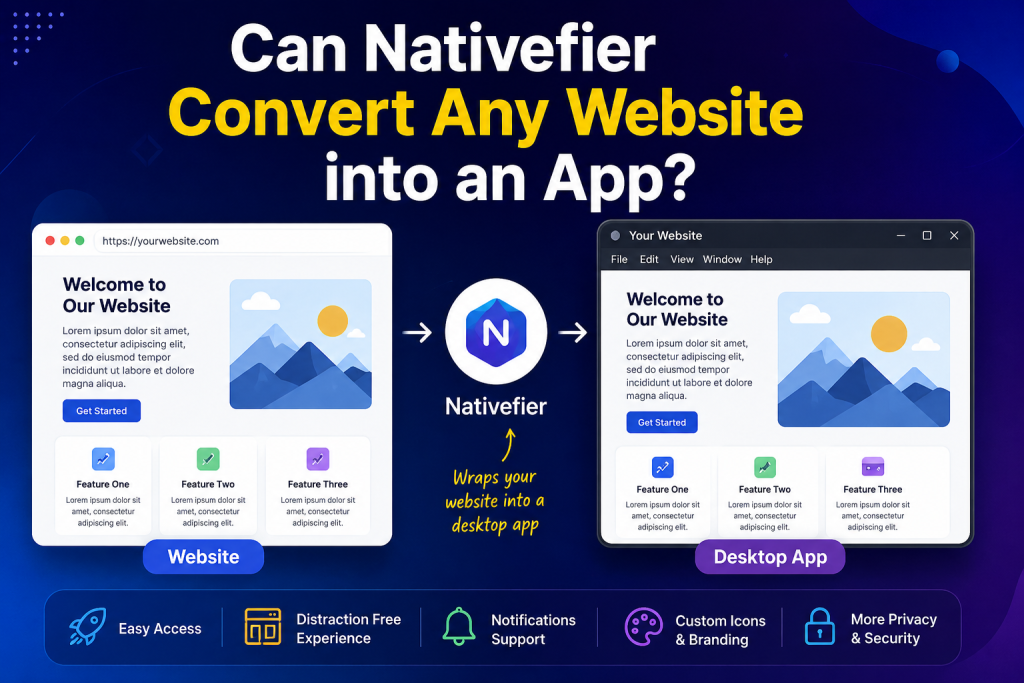
Today’s digital world, many users want quick access to their favorite websites without opening a browser every time. This is where Nativefier comes in. It is a popular tool that allows users to turn websites into desktop applications for Windows, macOS, and Linux. But one common question remains: Can Nativefier convert any website into an app?
The short answer is that Nativefier can convert most websites into desktop apps, but there are some limitations and important factors to consider. Understanding how Nativefier works can help you determine whether a particular website is suitable for conversion.
Read More: Do I Need Node.js to Use Nativefier?
What Is Nativefier?
Nativefier is an open-source command-line tool built on Electron. It creates a desktop application that wraps a website inside a standalone application window. Instead of visiting a website through a browser, users can launch it directly from their desktop just like any other installed software.
Many people use Nativefier to create desktop versions of web-based services such as email platforms, project management tools, social media websites, and productivity applications.
How Does Nativefier Work?
Nativefier works by using Electron to package a website into a desktop application. The generated app contains a Chromium browser engine that loads the specified website within its own window.
This means the website itself remains online and hosted on its original server. Nativefier does not convert the website into a fully native application. Instead, it creates a dedicated desktop container that displays the website and provides a more app-like experience.
Can Nativefier Convert Any Website?
Technically, Nativefier can package almost any publicly accessible website into a desktop application. If a website can be opened in a browser, Nativefier can usually load it inside an Electron-based app.
However, being able to package a website does not always mean the resulting application will function perfectly. Some websites are better suited for Nativefier than others.
Websites That Usually Work Well
Web applications designed for modern browsers typically perform well when converted with Nativefier. Examples include:
- Email services
- Team collaboration platforms
- Online productivity tools
- Social networking websites
- Streaming platforms
- Customer dashboards
- Cloud-based software
These websites often behave similarly whether they are opened in a browser or within a Nativefier application.
Websites That May Have Issues
Some websites may experience functionality problems after being converted. This can happen for several reasons:
Advanced Browser Security Features
Certain websites use strict security policies that may interfere with Electron-based applications. Authentication systems, cookies, and content security policies can sometimes create compatibility issues.
Browser Extensions Dependency
If a website relies on browser extensions to function properly, Nativefier may not fully support those features because the generated app operates independently from your regular browser.
DRM-Protected Content
Streaming services that use advanced Digital Rights Management (DRM) technologies may not work correctly in some Nativefier applications. Video playback restrictions can prevent certain content from loading.
Frequent Website Updates
Websites change their code and structure regularly. A Nativefier app that works perfectly today may require updates in the future if the website introduces major changes.
Benefits of Converting Websites with Nativefier
Nativefier offers several advantages for users who spend a lot of time on web-based services.
One major benefit is convenience. Users can launch websites directly from their desktop, taskbar, or application menu without opening a browser and navigating to a URL.
Another advantage is improved organization. Each website can have its own dedicated window, helping users separate work applications from personal browsing sessions.
Nativefier also supports custom icons, application names, notifications, and other settings that make web applications feel more like traditional desktop software.
Limitations You Should Know
While Nativefier is powerful, it is not a perfect solution for every website.
Since the generated application includes Chromium through Electron, file sizes can become relatively large compared to traditional software.
Memory usage may also be higher than expected because each Nativefier application runs its own Electron instance.
Additionally, websites that require highly specialized browser features or hardware integration may not function exactly as intended.
How to Determine if a Website Will Work
The best way to find out whether a website works with Nativefier is to test it.
Most modern web applications convert successfully. If the website loads properly in Chromium-based browsers such as Google Chrome or Microsoft Edge, there is a good chance it will work well inside a Nativefier-generated application.
Testing allows you to verify login functionality, notifications, media playback, file uploads, and other critical features before relying on the app for daily use.
Is Nativefier a True App Converter?
It is important to understand that Nativefier does not transform website code into a native desktop application written specifically for Windows, macOS, or Linux.
Instead, it wraps the website inside an Electron shell. The website remains a web application running within a desktop environment. While the user experience often feels similar to a native app, the underlying technology is different.
Conclusion
So, can Nativefier convert any website into an app? In most cases, yes. Nativefier can package nearly any website into a standalone desktop application, making it easier to access and use web-based services. However, compatibility depends on the website’s design, security settings, browser requirements, and functionality.
For modern web applications, Nativefier is an excellent solution that offers convenience, customization, and a more focused user experience. While some websites may present challenges, the majority of popular online services can be successfully transformed into desktop apps with minimal effort.